'Something was thrown out with the bathwater when we moved to modern smartphones': Clicks co-founder Jeff Gadway on bringing physical keyboards back to mobile phones
I fondly remember owning my first BlackBerry, and then my second ... and third. The smartphone was a sign of prestige, a device you could fit in your pocket with both a screen (later also a touchscreen in some models) and a miniature QWERTY keyboard. It was genius. That is, until elongated, touchscreen-only phones started coming to market, namely the first iPhone. Suddenly, BlackBerrys weren't so trendy anymore.
What's old becomes new again, however — a statement that fits almost every industry, from fashion to music and even tech. Clicks Technology, a U.K.-based hardware company with team members who previously worked for BlackBerry and within the BlackBerry space, is leaning into this trend. Growing from its first keyboard case, there are two devices coming this year: the Clicks Power Keyboard, which is now shipping, and the hotly anticipated Clicks Communicator, which should launch in December.
"Something was thrown out with the bathwater when we moved to modern smartphones," Jeff Gadway, co-founder of the company (and former marketing director at BlackBerry), explained in a recent interview. His company aims to bring it back — and possibly a little magic to a market that could sorely use some fresh ideas.
I saw both devices in prototype form at CES 2026 earlier this year, and in an interview with Gadway, discussed how the company is bringing razzle dazzle back to mobile.
Clicks then and now
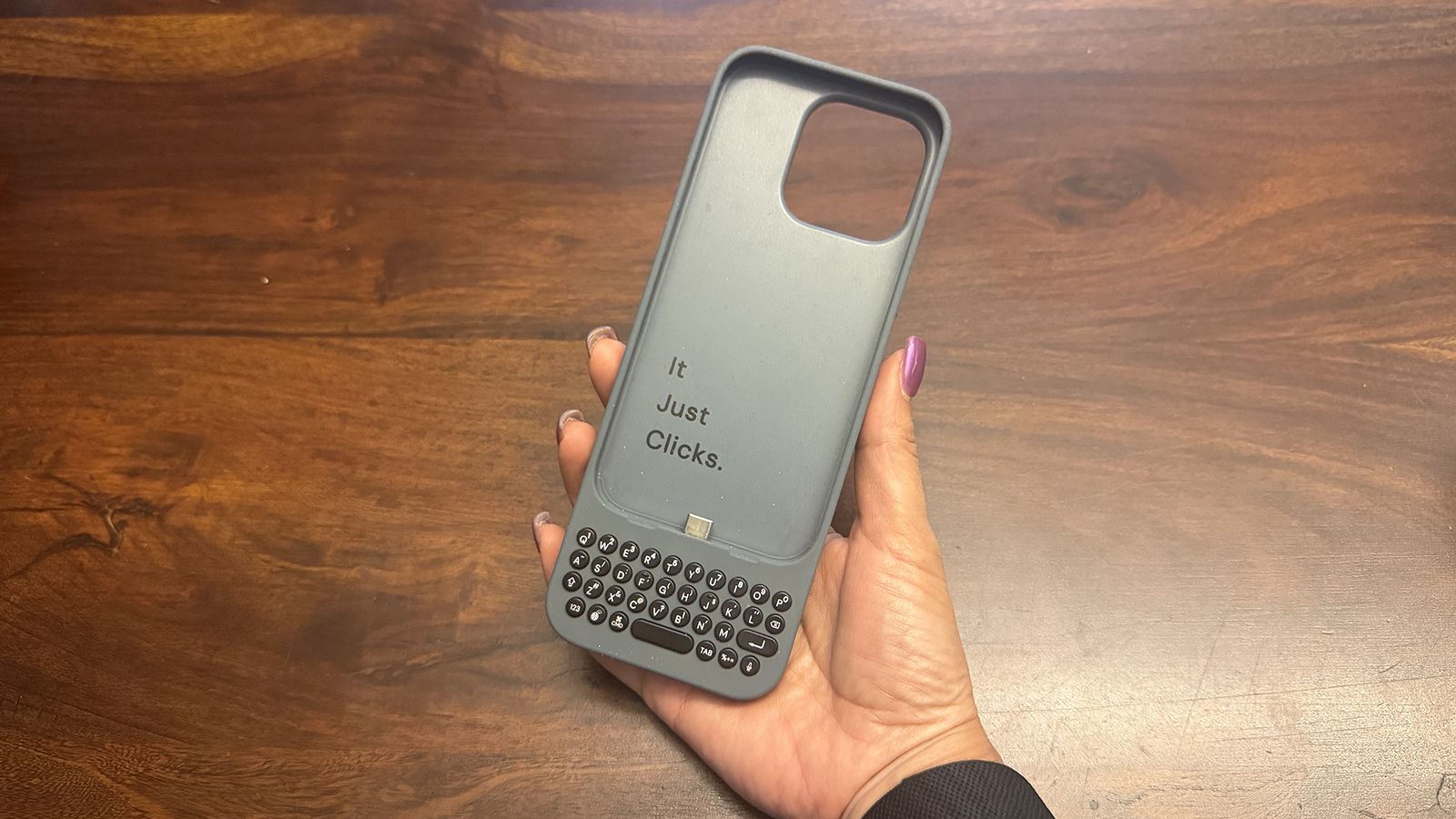
Clicks introduced its first keyboard case for iPhone in 2024, eventually expanding to make cases for select Android phones, too. To say people were excited would be an understatement. "It was like catching lightning in a bottle that first year," Gadway told me during a recent podcast interview.
Interestingly, it wasn't just nostalgia-fueled business executives but also younger folks from the digital native generations who were intrigued. Young adults who had never used anything but a touch- or voice-controlled phone loved the concept as much as they are now learning to love vinyl, CDs, and wired earbuds.
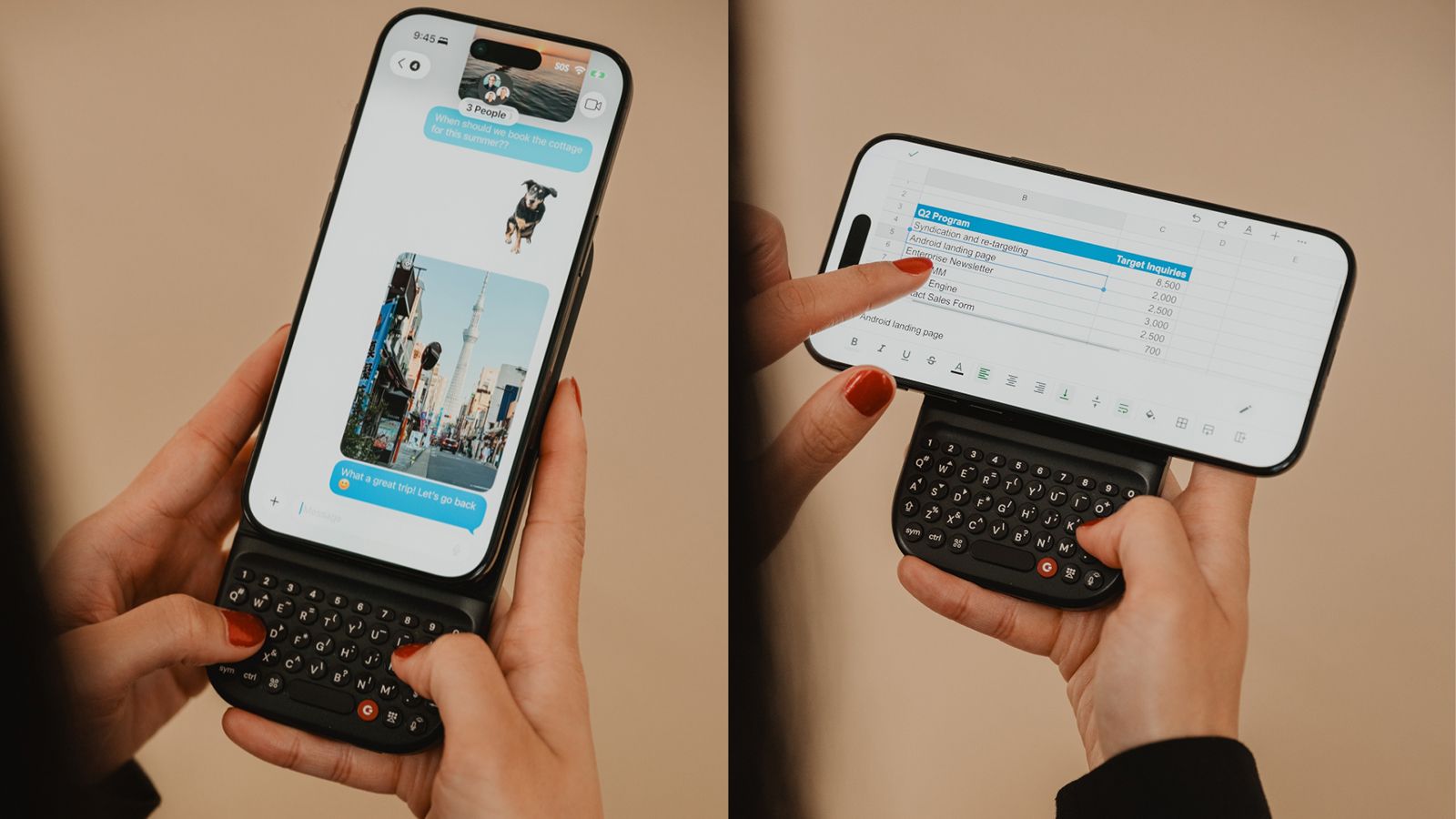
The company has since developed the Power Keyboard, a MagSafe enabled keyboard accessory you can use with any MagSafe-enabled phone or case, or any Bluetooth input device, for that matter. The Communicator is an Android phone reminiscent of a BlackBerry Bold that combines a small screen with a miniature QWERTY keyboard.
The Power Keyboard is universal
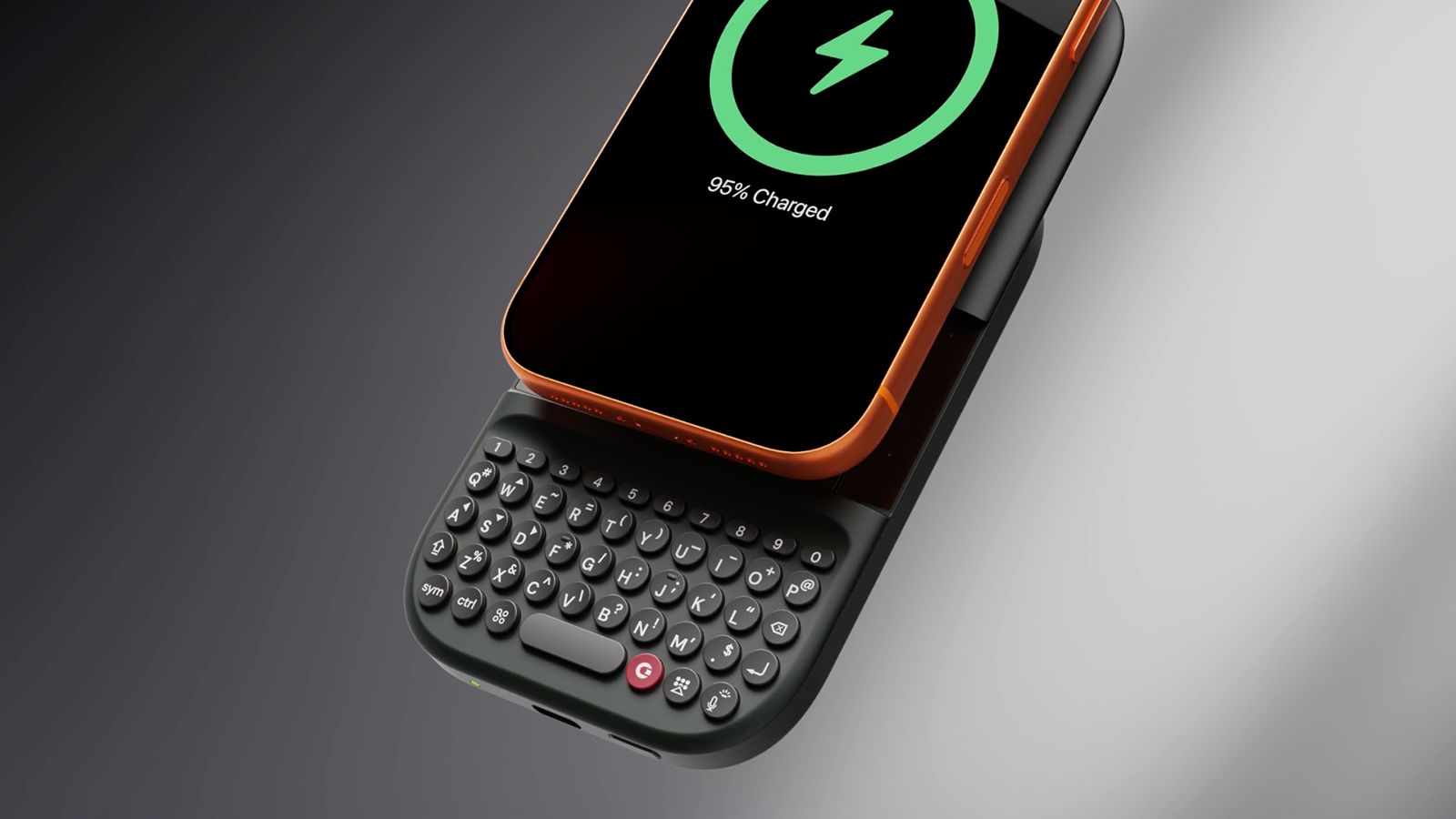
The Power Keyboard solves the biggest issue with the original Clicks Keyboard Case: needing a fitted case for every model phone. Instead, this version is magnetic, clipping vertically or horizontally onto the back of any MagSafe-enabled phone or phone case and functioning as a power bank with a slide-out keyboard.
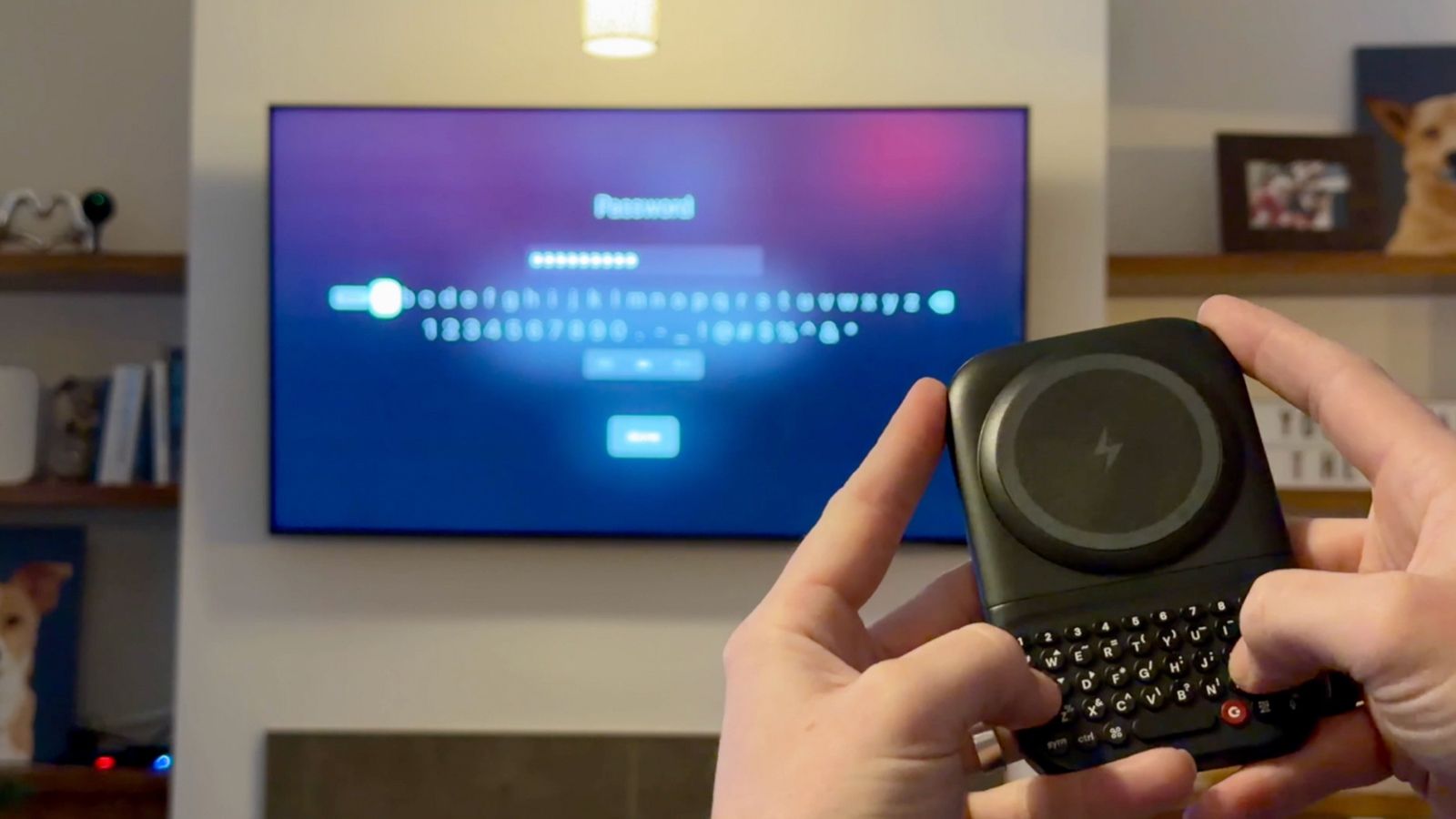
It isn't limited to phones: Use it handheld with a tablet or even as a Bluetooth mini keyboard for your smart TV. If you've ever attempted to enter a password into an app using your TV's remote and on the on-screen keyboard, you know how frustrating that experience can be. Gadway says the use cases run the gamut, from students using this in class with their phone instead of bringing a laptop, to CEOs, writers, and musicians being productive on the go.
Clicks Communicator reminds you what a phone is for
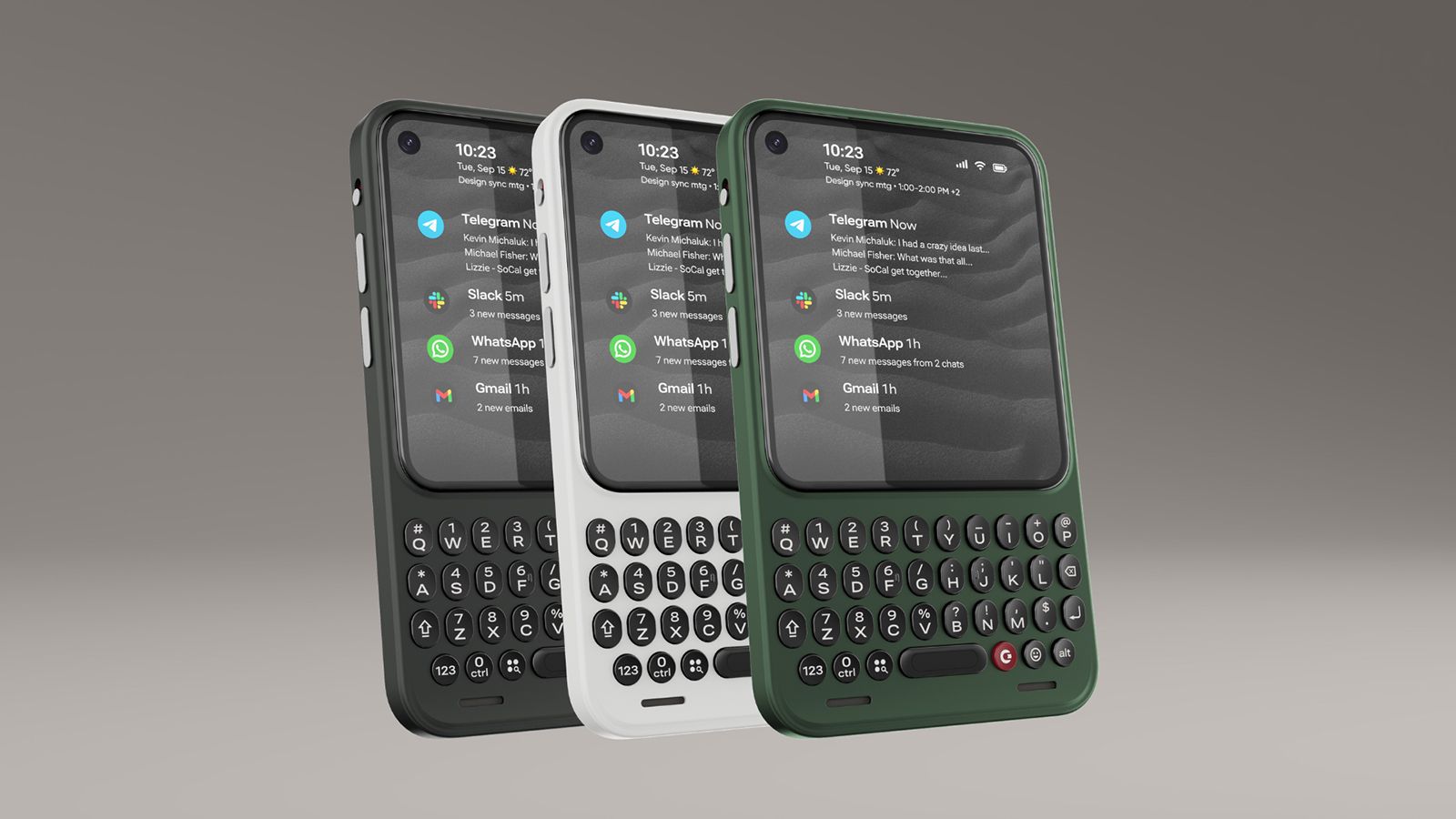
Taking things a step further, the Clicks Communicator is designed to remind us of the true purpose of a mobile phone: communication. Newer smartphones are designed for content consumption and creation with bigger screens, cameras, processors, and batteries, says Gadway. "What if you could build a phone that was really optimized for communication?"
There are two ways you might use the Communicator. The first is as a secondary phone with its own plan or tethered to your primary device. Maybe you have a company-provided phone on which you aren't permitted to download personal apps. The Communicator can be that secondary device to keep in touch with family, access banking and social media apps, play games, and more. The difference between the Communicator and another smartphone is that the smaller, utility-type screen makes this possible, but it's not optimized for going down the rabbit hole of endless scrolling.
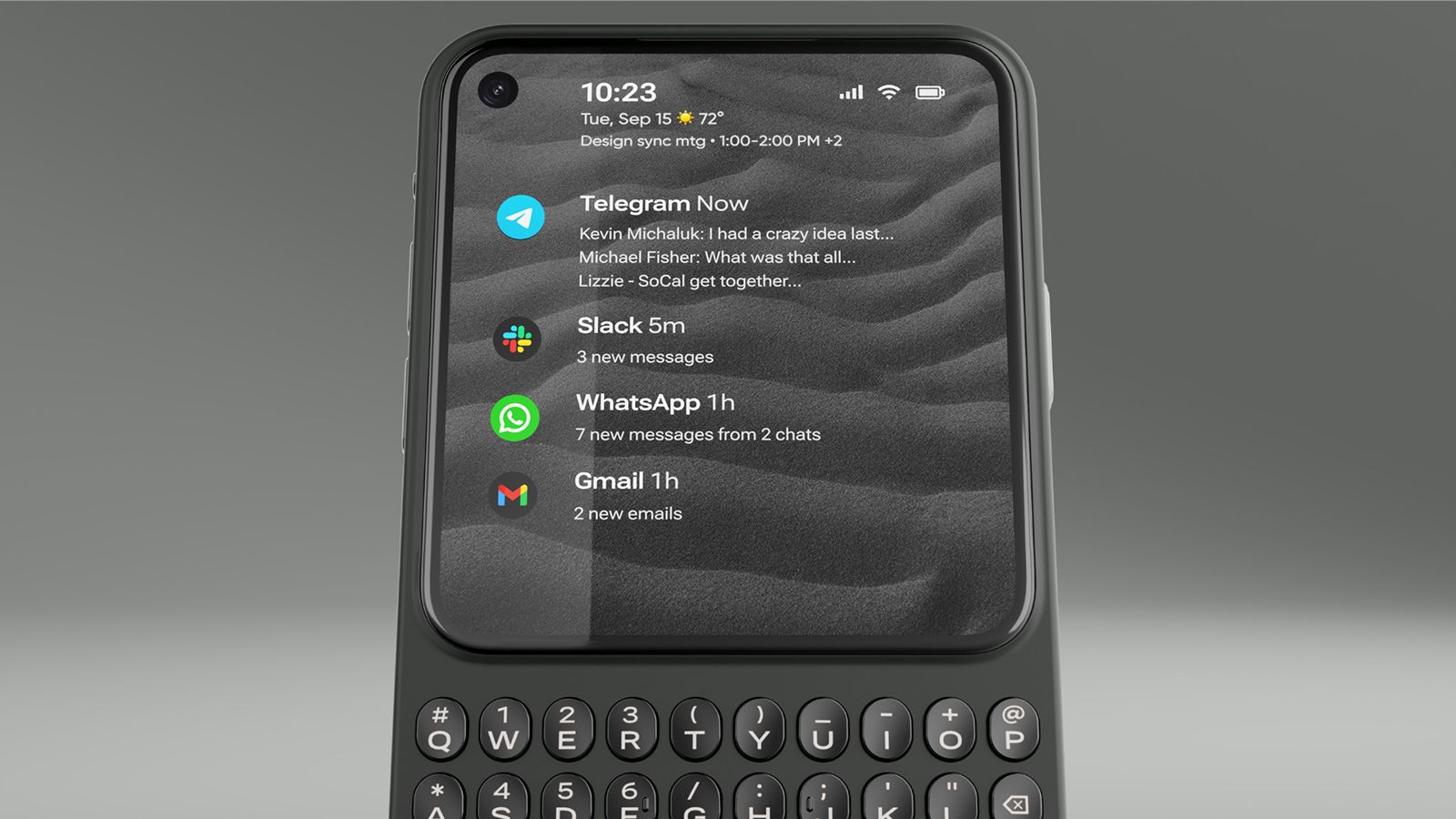
The second is as a primary phone, which Gadway told me is how a lot of pre-order customers have said they want to use it. The Communicator sits between a dumbphone, which eliminates access to distracting apps altogether, paring down the experience to bare bones communication, and a full-featured premium smartphone.
The Communicator is a full Android 17 device, though, with access to the Google Play Store, a MediaTek Dimensity 8300 processor, a 50MP main camera, and a 24MP front-facing camera. Clicks even upgraded the RAM to 12GB prior to the official launch. It has legacy features you won't find in most modern phones, like a 3.5mm headphone jack and microSD card slot to expand the built-in 256GB storage.
The key is in the design: a touchscreen occupying the top three-quarters (4.03 inches, 120Hz) and a bottom keyboard. It's a constant reminder that this isn't a phone to doomscroll TikTok and Instagram or get caught up in mobile games. You can do that. But you won't want to, and that's a good thing.
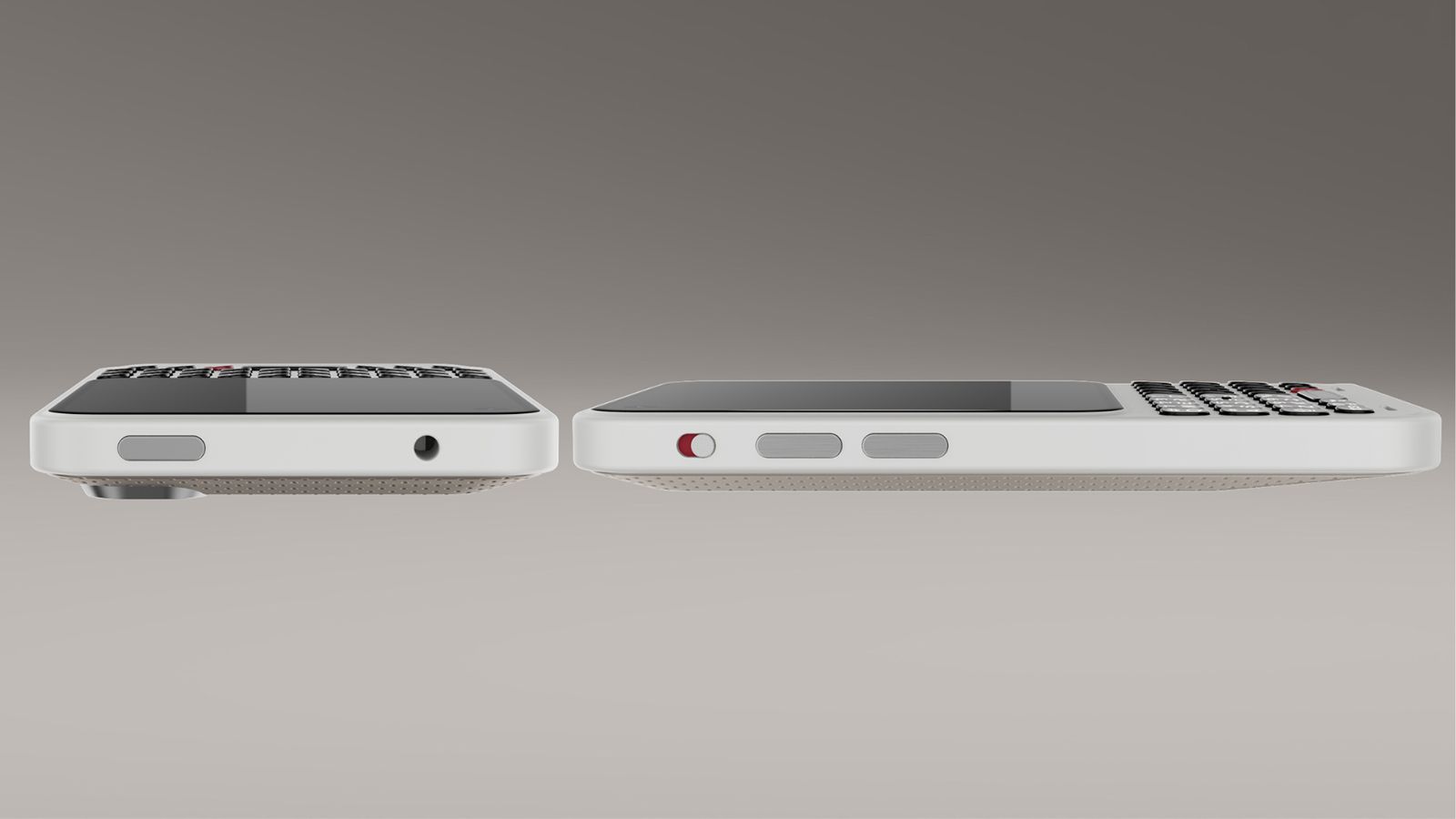
Other simple features are meant to further encourage focus, like a signal light, similar to the HiLight button in the Google Pixel 11 Pro series phones. Customize it with illuminating colors so you know when an incoming call or message is from your mom, child, spouse, or business partner versus a spam call or an old friend you don't have time to chat with right now.
Clicks is working with Niagara to build a custom Android launcher that can curate messages from your favorite apps on the home screen. Triage these apps, Gadway explains, to help prevent you from getting "sucked into side quests."
"What we're doing with Niagara," he explains, "is creating a version of this that taps into the hardware of Communicator using the touch-sensitive keyboard to scroll through your messages, and the keys themselves to delete, reply, forward, or mark as unread right from that home screen without ever having to actually go into the app itself. So, it's a much more purposeful home screen experience."
Clicks represents a return to form
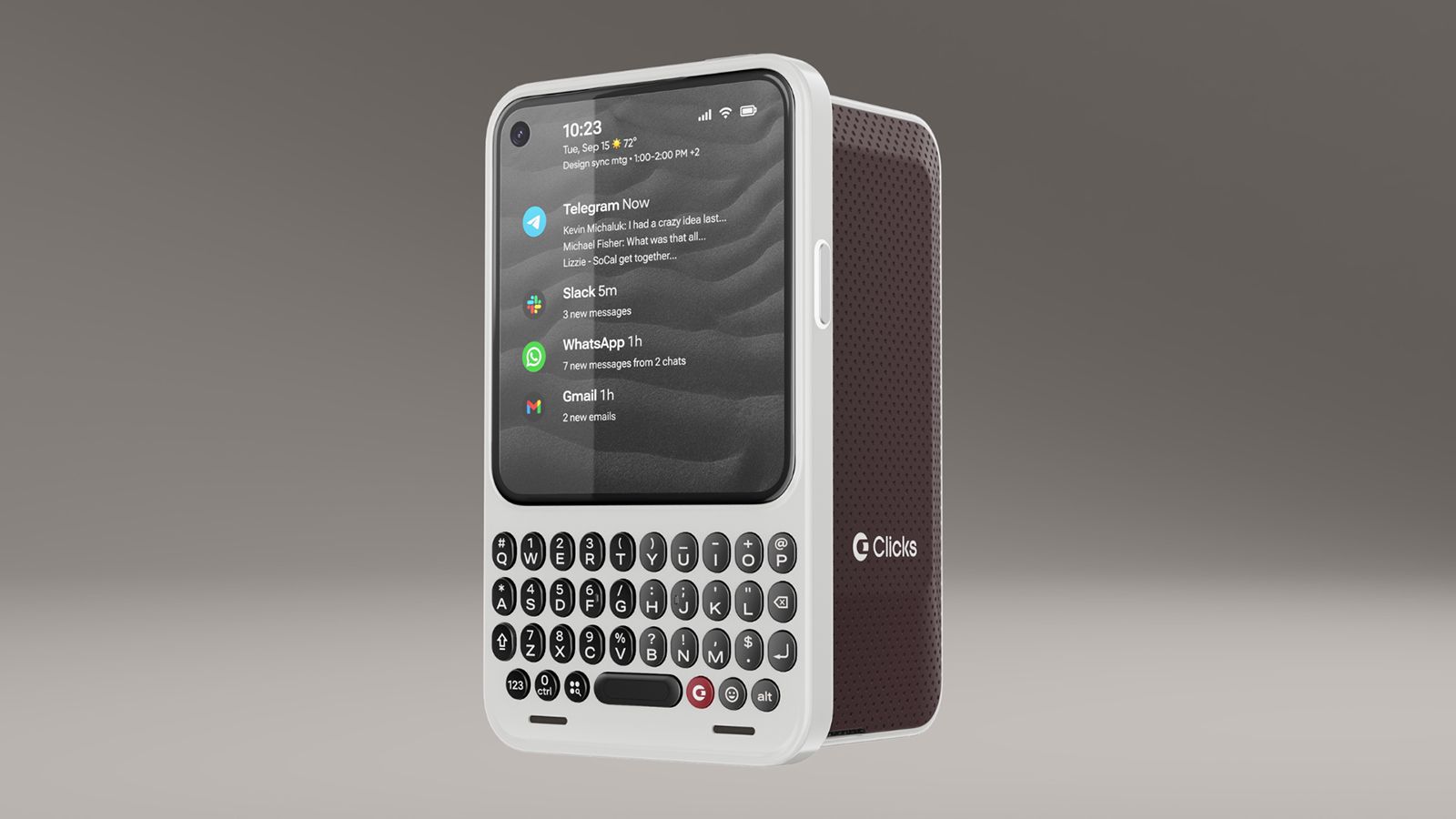
Modern smartphones do more than ever. But there's something inherently missing from the experience. It stems from nostalgia, for those who grew up using phones with keyboards. But there's also value from a usability perspective for a younger generation who never put their hands on one.
Gadway says that with the original Keyboard Case, 40-45 percent of buyers had never used a BlackBerry before. "They wanted to reshape their relationship with technology, have some tech that was a little more intentional, a little more purposeful, and that allowed them to get their screen real estate back and have a more satisfying tactile experience."
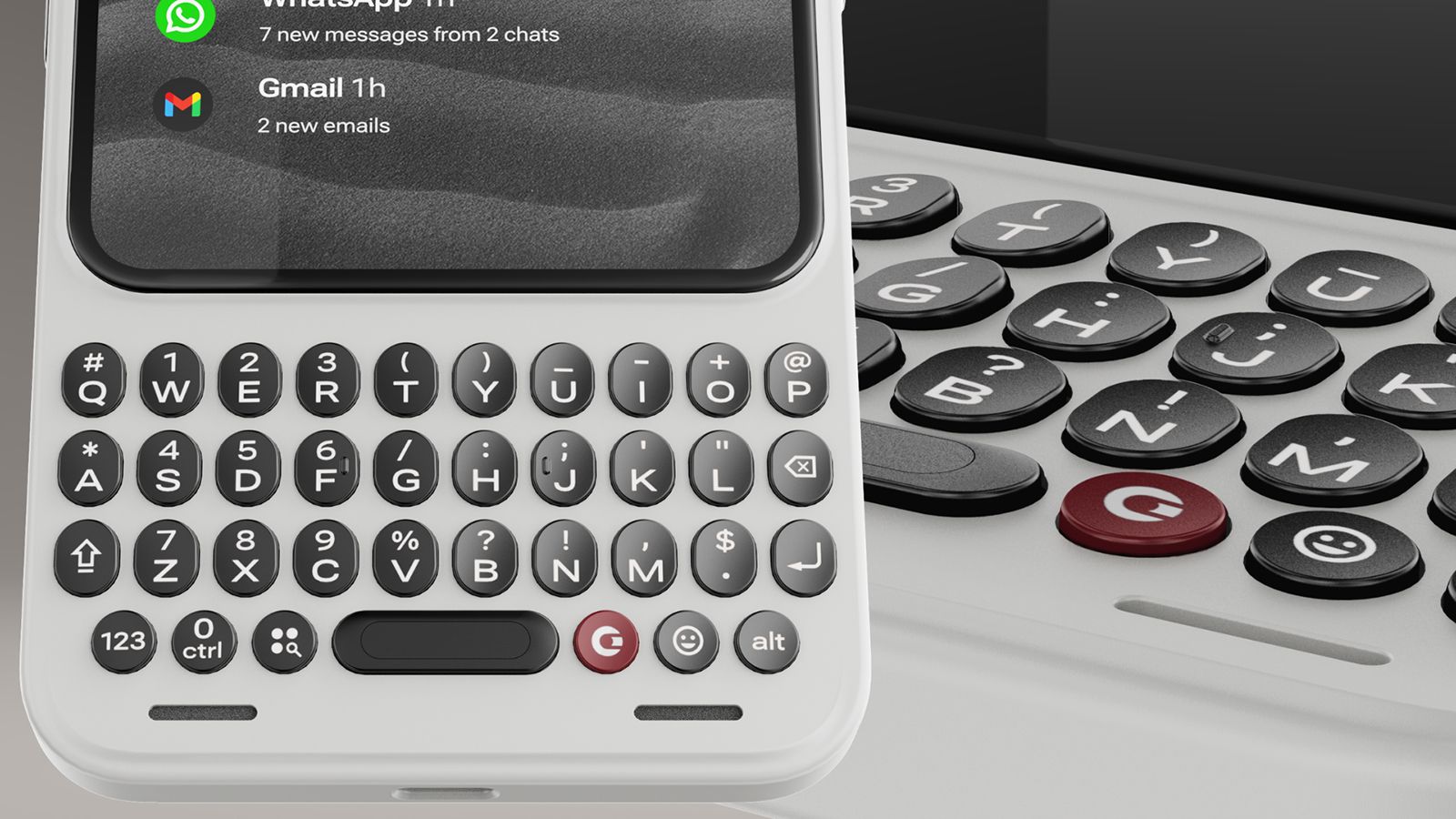
"Touchscreen smartphones are amazing," Gadway said recently. "They do so many things. And yet they lack some of that tactility and the ability to accomplish certain things from your phone that you wait to do back at your desk."
Originally, Clicks was positioned, at least in the minds of those who clamored to get a look at the original case years ago, as a throwback to simpler times. Today, with the latest generation products, it's evident that a physical keyboard is no longer just catering to the BlackBerry faithful. "There is a much bigger audience than we expected," says Gadway. Touchscreens and voice activation aren't going anywhere. But there's something about tactile feel that even the younger generations yearn to experience, too.
from androidcentral
Post a Comment